
Veepee shipping services are configured in the AtomicSeller shipping methods. Veepee provides the credentials required for the connection.
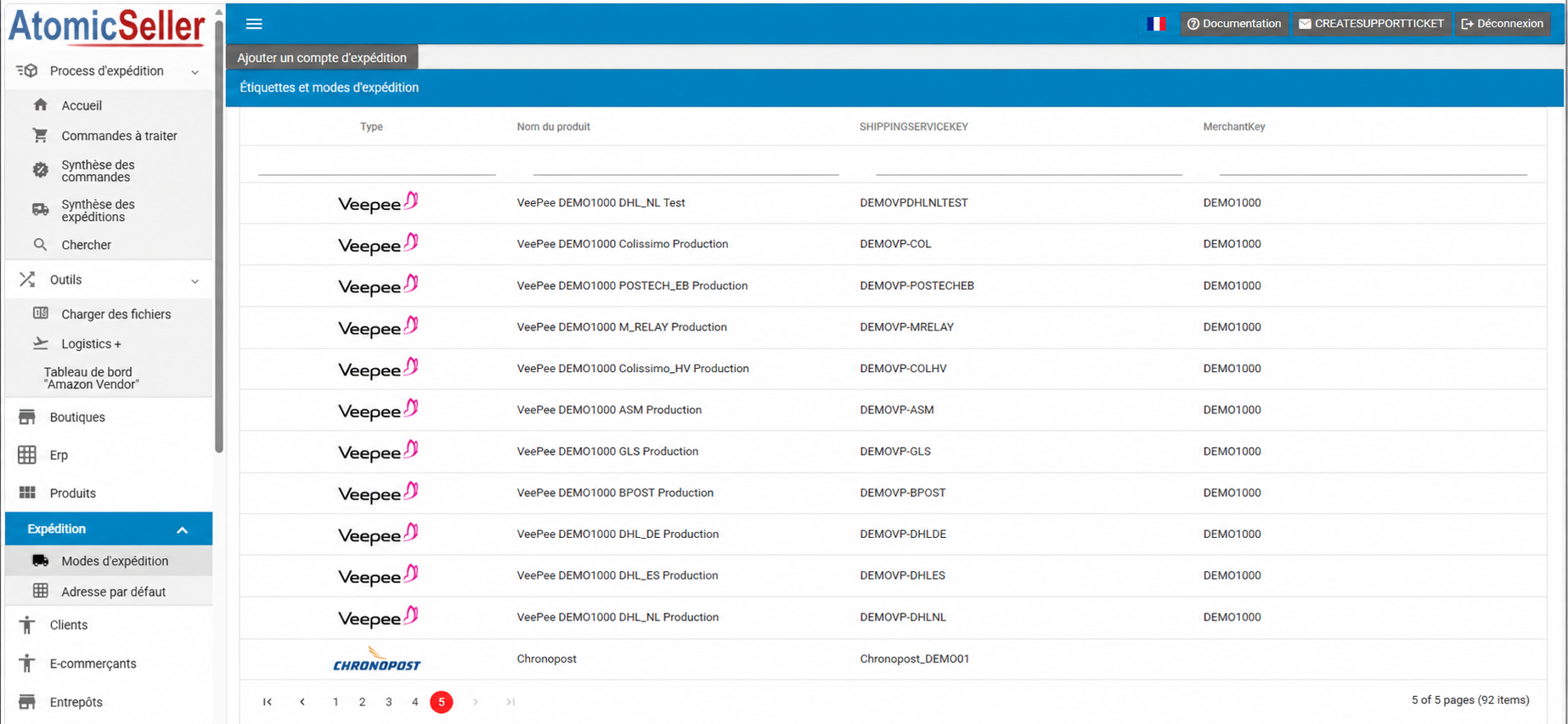
Select a shipping service #
- Open Shipping > Shipping methods.
- Locate the Veepee shipping service that you want to configure.
- Click its row once to open its settings.
Complete the main settings #
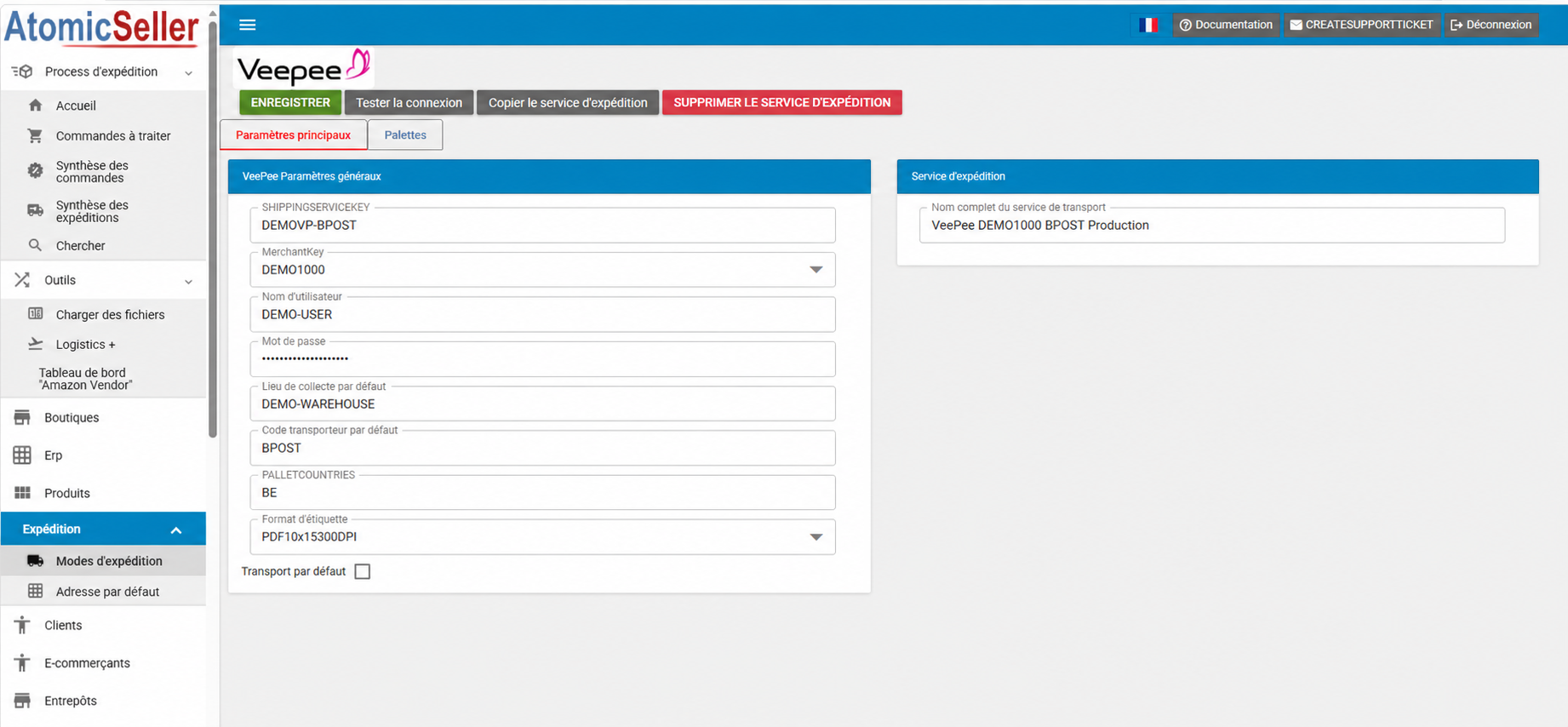
- SHIPPINGSERVICEKEY: identifies the shipping service in AtomicSeller. It does not have to match the carrier code received in the Veepee order.
- MerchantKey: identifies the merchant associated with the service.
- Username and password: credentials supplied by Veepee.
- Default pickup location: warehouse or pickup location used by default.
- Default carrier code: code that matches the carrier specified in the Veepee order.
- PALLETCOUNTRIES: countries for which pallet management is enabled.
- Label format: format used to generate labels.
- Default shipping service: makes this service the default service for the carrier-code mapping of the Veepee order.
Test and save the connection #
- Click Test connection to validate the credentials.
- After the test succeeds, click Save.