
This procedure describes the Shopify configuration currently expected by AtomicSeller. It replaces the obsolete instructions based on Shopify private apps.
Before you begin #
- You have the required permissions in Shopify and the Shopify Dev Dashboard.
- The app used for the AtomicSeller integration is installed on the store and has the required access scopes.
- You know the permanent store domain in the format
store-name.myshopify.com. - You have permission to manage stores in AtomicSeller.
Prepare the Shopify credentials #
- In the Shopify Dev Dashboard, open the app installed for the AtomicSeller integration.
- Confirm that the Admin API scopes required for orders, products, inventory, fulfillment, and tracking are configured. Ask AtomicSeller support for the exact scope matrix if it is not included in your contract.
- For a current connection, retrieve the Client ID and Client secret. Shopify uses these values to issue short-lived access tokens.
- Store the credentials in a password manager. Never include them in a support ticket or screenshot.
Configure the store in AtomicSeller #
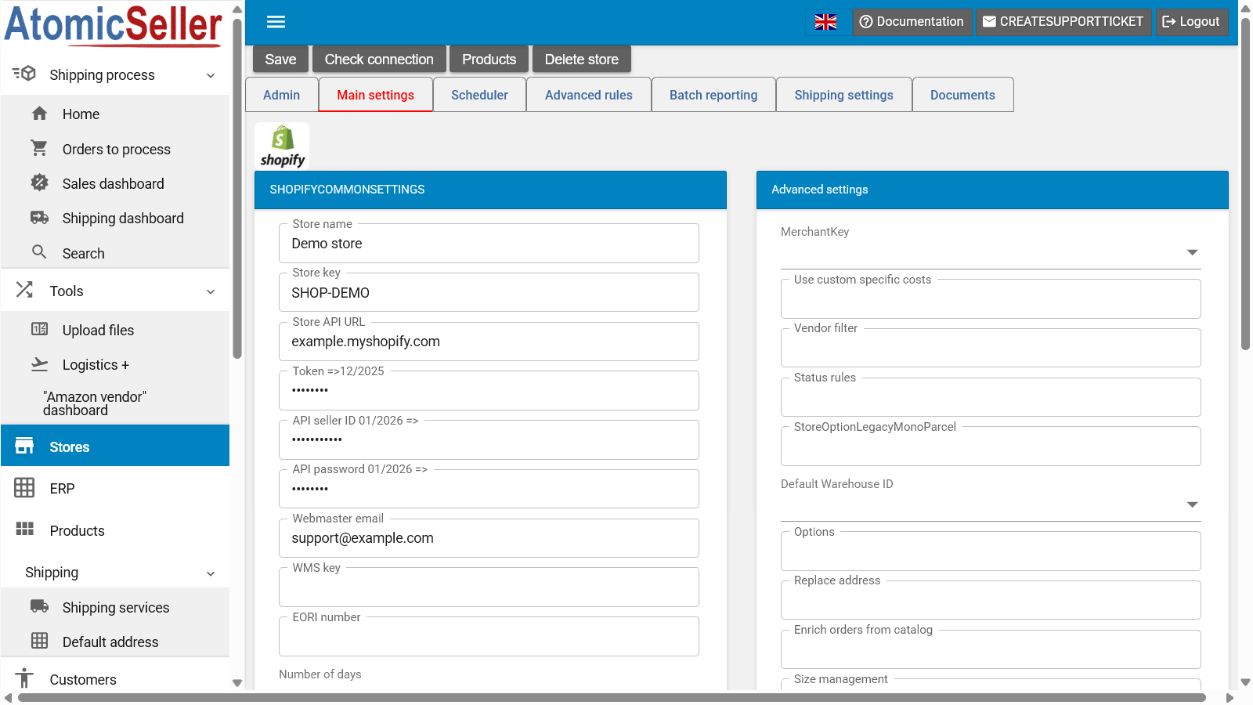
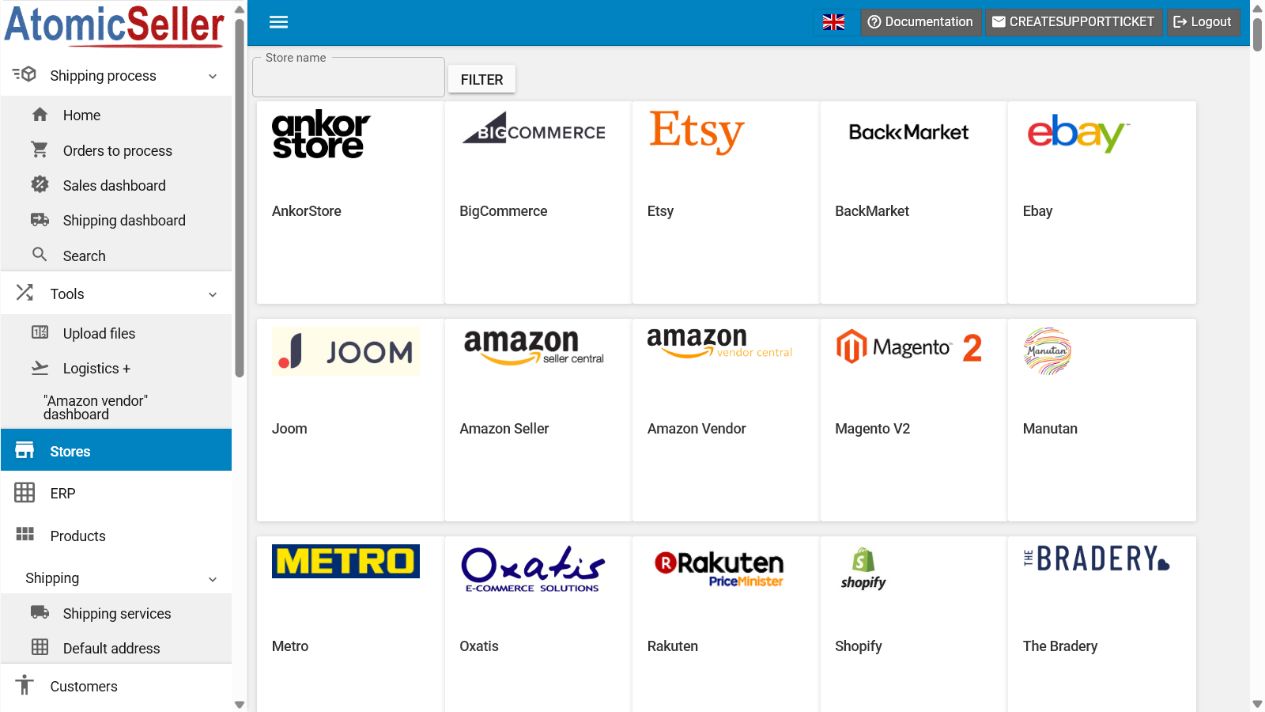
- In AtomicSeller, open Stores, select Add a store, then select Shopify.
- Open the Main settings tab.
- Enter a Store name and choose a short unique Store key.
- In Store API URL, enter the
store-name.myshopify.comdomain. - For a new connection, enter the Client ID in API seller ID 01/2026 => and the Client secret in API password 01/2026 =>.
- The Token =>12/2025 field is intended for legacy connections. Do not replace a working token unless AtomicSeller support instructs you to do so.
- If the store uses multiple locations, select the appropriate Default Warehouse ID.
- Select Save, then Check connection.
- When the test succeeds, retrieve the orders and review them under Orders to process.
Expected result. AtomicSeller confirms the Shopify connection and can retrieve orders and send tracking information.
Troubleshooting #
Credentials are rejected. Confirm that the Client ID and Client secret belong to the app installed on this store and have not been revoked.
Insufficient permissions. Review the app’s Admin API scopes, then redeploy or reinstall the app if Shopify requires it.
Store not found. Use the permanent .myshopify.com domain instead of a redirected storefront domain.
Tracking is not sent. Check fulfillment permissions, the Shopify location used for the order, and the webhook configuration when applicable.
Official reference #
Shopify Client ID and Client secret authentication