
Use this procedure to sign in, sign out, change your password, or request a recovery link.
Sign in #
- Open the sign-in page. Go to https://ecommerce.atomicseller.com/.
- Enter your username. Use the identifier supplied by your account administrator.
- Enter your password. Check capitalization and make sure that copying the value has not added spaces.
- Select Connection. The AtomicSeller home page opens when the credentials are valid.
Expected result. Your AtomicSeller session is open and the menus allowed by your permissions are available.
Sign out #
- Select Logout. The link is available in the upper-right corner of the interface.
- Confirm if prompted. If AtomicSeller displays a confirmation, confirm that you want to sign out.
Good practice. Always sign out when using a shared computer or leaving your workstation for an extended period.
Change your password #
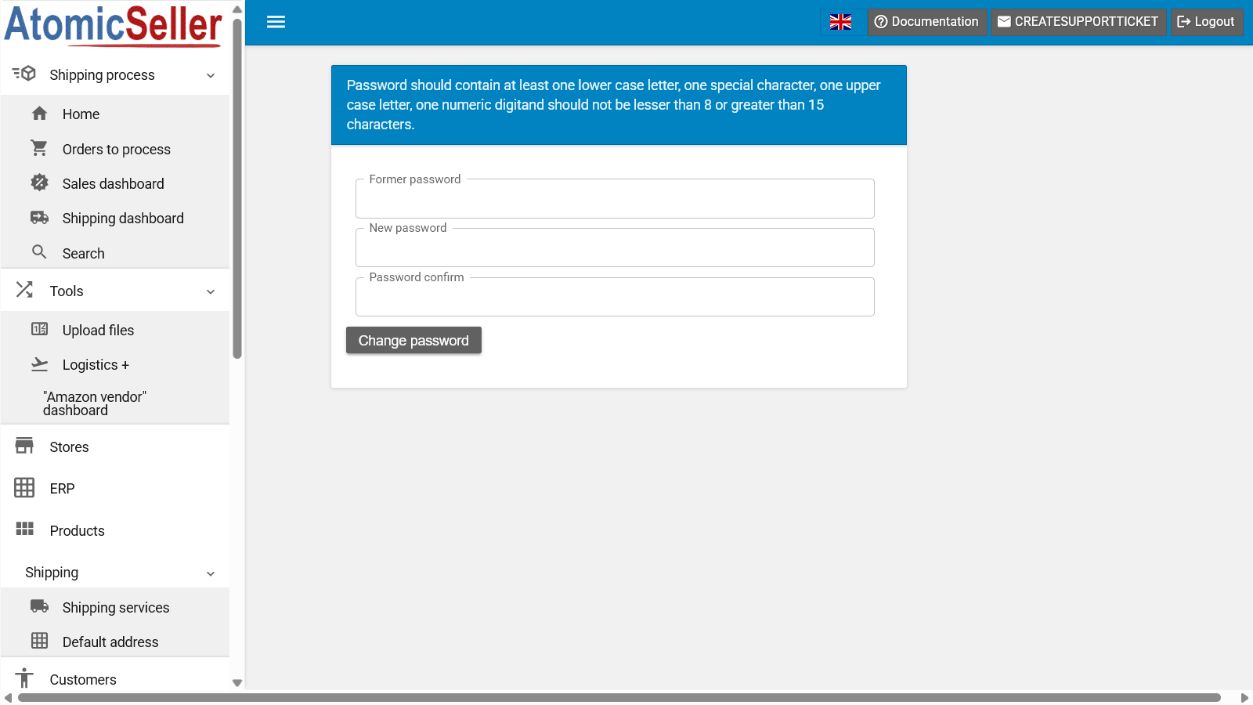
- Open My account. Select Change user / password.
- Enter your current password. Use the Former password field.
- Create the new password. It must be 8 to 15 characters long and contain at least one lowercase letter, one uppercase letter, one number, and one special character.
- Confirm the new password. Enter exactly the same value in Password confirm.
- Select Change password. Use the new password the next time you sign in.
Reset a forgotten password #
- Open the sign-in page. Select Reset password.
- Enter your email address. Use the address associated with your AtomicSeller account.
- Select Send recover link. AtomicSeller sends an email containing the reset instructions.
- Open the received link. Choose a new password that meets the rules displayed on the page.
Troubleshooting #
Sign-in is rejected. Check the username, password capitalization, and whether either value has leading or trailing spaces.
No recovery email arrives. Check spam, wait a few minutes, and confirm that you used the address associated with the account.
The new password is rejected. Use 8 to 15 characters and include a lowercase letter, uppercase letter, number, and special character.
You no longer have access to the email address. Contact the account administrator or AtomicSeller support.
Security. Never share your password, recovery link, or authentication code with support. AtomicSeller may ask for your username, but not for your secret.